This guide will explore the significance of post-processing in photography and how you can enhance your images to achieve professional results. By mastering editing techniques, you can transform your photos into visually stunning works of art that truly capture your vision. Whether you’re a beginner or an experienced photographer, understanding the nuances of editing will elevate your skills and help you create striking images that leave a lasting impression. Join Edin Chavez as he shares his insights and tips for editing photos like a pro.
Types of Post-Processing Techniques
To enhance your photography, you’ll want to explore various post-processing techniques. Each method focuses on specific aspects of your images and can elevate your overall presentation. Here’s a breakdown of common post-processing techniques:
| Technique | Description |
| Color Correction | Adjusts colors for more accurate and appealing representation. |
| Noise Reduction | Minimizes unwanted graininess in photos. |
| Sharpening | Enhances edge clarity for a crisper look. |
| Exposure Adjustment | Corrects the brightness and contrast of images. |
| Cropping & Framing | Improves composition for a more impactful image. |
Recognizing these techniques will help you develop a more nuanced approach to editing your photos.
Color Correction
There’s a significant difference between perfectly balanced colors and those that appear off. By utilizing color correction techniques, you can adjust hues, saturation, and vibrancy levels to ensure your photographs reflect the mood and setting accurately. Focusing on white balance and tonal adjustments can also make your images more pleasing to the eye.
Noise Reduction
Now, let’s talk about noise reduction, an important process for retaining the quality of your images, especially in low-light conditions. By reducing the graininess often found in such situations, you can create a cleaner, more professional-looking photograph that showcases your subject without distraction.
Understanding how to apply noise reduction effectively can make a significant difference in your editing workflow. It involves careful adjustments to preserve detail while eliminating unwanted noise. Using software tools designed for this task allows you to selectively reduce noise, ensuring that your images retain their overall quality and clarity.
Sharpening
Assuming you’ve captured an incredible shot, sharpening further refines the details and edges in your image. This technique elevates the impact of your photography by making subjects stand out and enhancing overall clarity, allowing your artistic vision to shine through.
A well-executed sharpening process ensures that you enhance your photo without introducing artifacts or unwanted noise. You want to strike a balance by sharpening specific areas rather than applying it globally. This selective sharpening not only highlights important features but also maintains a natural look in your photographs.
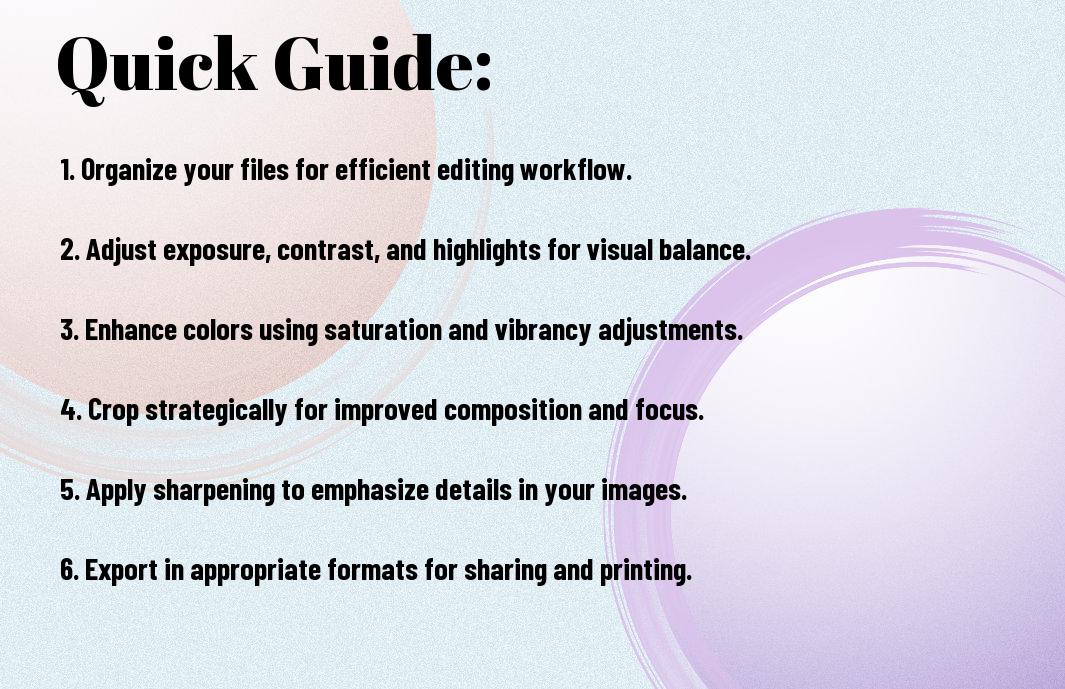

Essential Tips for Effective Editing
Assuming you want to elevate your editing skills, consider these crucial tips for effective photo editing:
- Familiarize yourself with editing software features.
- Start with a clean, well-organized workspace.
- Use shortcuts to enhance your workflow.
- Experiment with different styles but find your unique voice.
This will help you sharpen your skills and produce stunning images.
Understanding Your Software
Assuming you have your editing software set up, it’s vital to explore its functionalities thoroughly. Different programs offer a variety of tools for color correction, retouching, and more. Carefully examine the user interface, play around with layers, and familiarize yourself with different adjustment options. This knowledge will empower you to manipulate your images creatively and effectively.
Maintaining Consistency
The key to creating a cohesive body of work is ensuring consistency in your editing style. You want your images to reflect a uniform aesthetic, making your portfolio more recognizable and professional. This can involve using similar color palettes, consistent cropping methods, and standardized exposure settings across your photos.
Another effective way to maintain consistency is to establish a set of presets or styles that you can apply across your projects. This not only speeds up your editing process but also helps in developing a signature look that viewers will associate with your work. By revisiting your edited photos and analyzing them, you can fine-tune your approach, ensuring that each image aligns with your artistic vision.
The Importance Of Post-Processing – Step-by-Step Guide to Editing Photos
Your editing journey begins with a structured approach that ensures every photo you process receives the attention it deserves. By breaking down the editing process into manageable steps, you’ll not only enhance the quality of your images but also evolve your style as an artist. Below is a streamlined table for you to follow:
| Step | Action |
| 1 | Import Photos |
| 2 | Organize Files |
| 3 | Make Basic Adjustments |
| 4 | Fine-Tune Details |
| 5 | Export and Share |
Preparing Your Workflow
Now, it’s vital to set up your editing environment for optimal efficiency. Start by selecting a dedicated workspace where you can focus and remove distractions. Organizing your files and naming your folders clearly will save you valuable time when accessing your images. Consider using applications with customizable shortcuts to streamline your workflow further. A well-prepared workflow can significantly boost your productivity and help you maintain consistency across your edits.
Applying Adjustments
Some adjustments will lay the foundation for your photo’s final look. Begin with basic edits such as exposure, contrast, and color balance to set the tone. From there, you can explore into finer details like sharpening and noise reduction. These adjustments can dramatically elevate the quality of your images, making them stand out in a crowded visual landscape.
Editing begins with understanding the unique aspects of each photograph. You’ll want to assess your images critically and determine which adjustments will enhance them the most. Utilizing tools such as histograms and color wheels will guide your adjustments, allowing for precision. As you become more comfortable with applying changes, you’ll develop a less mechanical and more instinctive editing style, ultimately reflecting your personal vision.
Finalizing the Image
One key aspect of the editing process is knowing when to consider your photo finished. This is where you’ll apply final touches such as cropping, aligning, or adding filters that create a cohesive look. Take a moment to review your edits against your original intention for the image to ensure that you’re achieving your desired outcome.
A polished final image can be the difference between a good photograph and an exceptional one. Pay close attention to details like removing distractions and ensuring that colors are consistent throughout your image. A final review allows you to catch any flaws before sharing your work, which is vital in presenting your photography skillfully to the world.

Key Factors in Post-Processing
Unlike a simple snap, post-processing is a vital step in elevating your photography to new heights. To achieve professional results, consider these key factors:
- Image Quality
- Lighting Conditions
- Subject Matter
This will ensure your final images stand out and reflect your unique vision.
Image Quality
Clearly, the quality of your images is the foundation for effective post-processing. High-resolution files allow you to manipulate details without degrading the image. Ensure you’re shooting in RAW format, which captures more data than standard JPEG files, providing greater flexibility during editing.
Lighting Conditions
Post-Processing can transform your images by balancing or enhancing lighting conditions. The light in your photographs has a significant impact on mood and clarity. Recognizing how light affects your subject can guide you in making adjustments that enhance the overall aesthetic.
Understanding the characteristics of light, whether it’s natural or artificial, helps you create the desired atmosphere. Experiment with adjustments in brightness, contrast, and color temperature to create depth and emphasis on your subject. Each lighting scenario demands a tailored approach, so take your time to evaluate how light interacts within your image.
Subject Matter
Even the most stunning subject can be undermined by poor post-processing choices. The essence of your subject should shine through, so focus your editing on enhancing its characteristics. Pay attention to the details that matter most to your composition.
Quality post-processing should reflect and amplify your subject’s story. Whether it’s a landscape, portrait, or still life, the edits you make should resonate with the viewer, drawing them into the narrative you intend to convey. Look closely at colors, textures, and contrasts to ensure your subject remains the focal point in your image.

Pros and Cons of Post-Processing
Now, when considering post-processing, it’s vital to understand both its pros and cons. This will help you approach your editing process with a well-rounded perspective. Below is a breakdown of the advantages and disadvantages of editing your photos.
| Pros | Cons |
|---|---|
| Enhances visual appeal | Time-consuming |
| Corrects imperfections | Can alter original intent |
| Allows for creative expression | Risk of losing detail |
| Improves overall quality | Potential to over-edit |
| Facilitates consistency in style | Requires software knowledge |
| Offers versatility in storytelling | Can lead to dependence on editing |
Benefits of Editing
Little adjustments in post-processing can make a significant difference in your photos. By enhancing colors, adjusting exposure, or cropping, you can elevate the overall image quality. Good editing not only showcases your style but also helps narrate the story behind your photo, allowing viewers to connect more deeply with your work.
Risks and Over-Editing
While editing offers many advantages, it also comes with risks, particularly the tendency to over-edit. This can lead to images that appear unnatural or overly processed, which detracts from their original beauty.
The temptation to push your edits can result in a loss of texture, detail, and authenticity in your images. Instead of complementing the original shot, excessive adjustments can create a false representation of the scene, which undermines your artistic integrity. Striving for a balance in your edits ensures that your photos retain their natural charm while benefiting from the enhancements of post-processing.
Tools and Software Recommendations
After exploring various editing styles, it’s imperative to equip yourself with the right tools and software. Each editing program has unique features that cater to different skill levels and creative preferences. By choosing tools that align with your workflow, you can enhance your photos with ease and efficiency. Whether you’re a beginner or an advanced photographer, the right software can make all the difference in achieving your desired results.
Industry Favorites
Tools like Adobe Lightroom and Photoshop are industry standards for a reason. They offer powerful features that allow you to refine your images at a professional level. Lightroom is excellent for batch editing and organizing your photos, while Photoshop provides advanced manipulation capabilities. As you develop your skills, these programs will prove invaluable in upgrading your editing craft.
Budget-Friendly Options
Now, if you’re just starting or don’t want to invest heavily in editing software, there are several budget-friendly options available. Programs like GIMP and Canva offer great tools at little to no cost, making them excellent alternatives for your editing needs. With these user-friendly platforms, you can still achieve impressive results without breaking the bank.
BudgetFriendly choices like Affinity Photo and Capture One Express provide robust features that are accessible for those on a tighter budget. By exploring these options, you can find software that fits your needs without compromising on quality. Investing time in learning these tools will enhance your skills while keeping your expenses in check, allowing you to focus on your photography passion rather than your editing costs.
To wrap up
Now that you’ve explored Edin Chavez’s guide to post-processing, you understand how vital it is for enhancing your photography. By applying the techniques discussed, you can elevate your editing skills and bring your creative vision to life. Each adjustment you make serves to express your unique perspective, allowing your images to resonate more deeply with your audience. Embrace the power of post-processing, and watch as your photos transform from ordinary to extraordinary.
Fine Art Photography Prints
Own a museum-quality archival print by Edin Chavez
Hahnemühle archival paper · From $95
BROWSE PRINTS LIMITED EDITIONS